Knead to Know
A VR baking sim game that allows players to try baking real recipes without having to spend the financial or material resources often needed in real life.
Project Info
My Role:
Create custom UI assets & interfaces to support core gameplay loop and all player-interactions
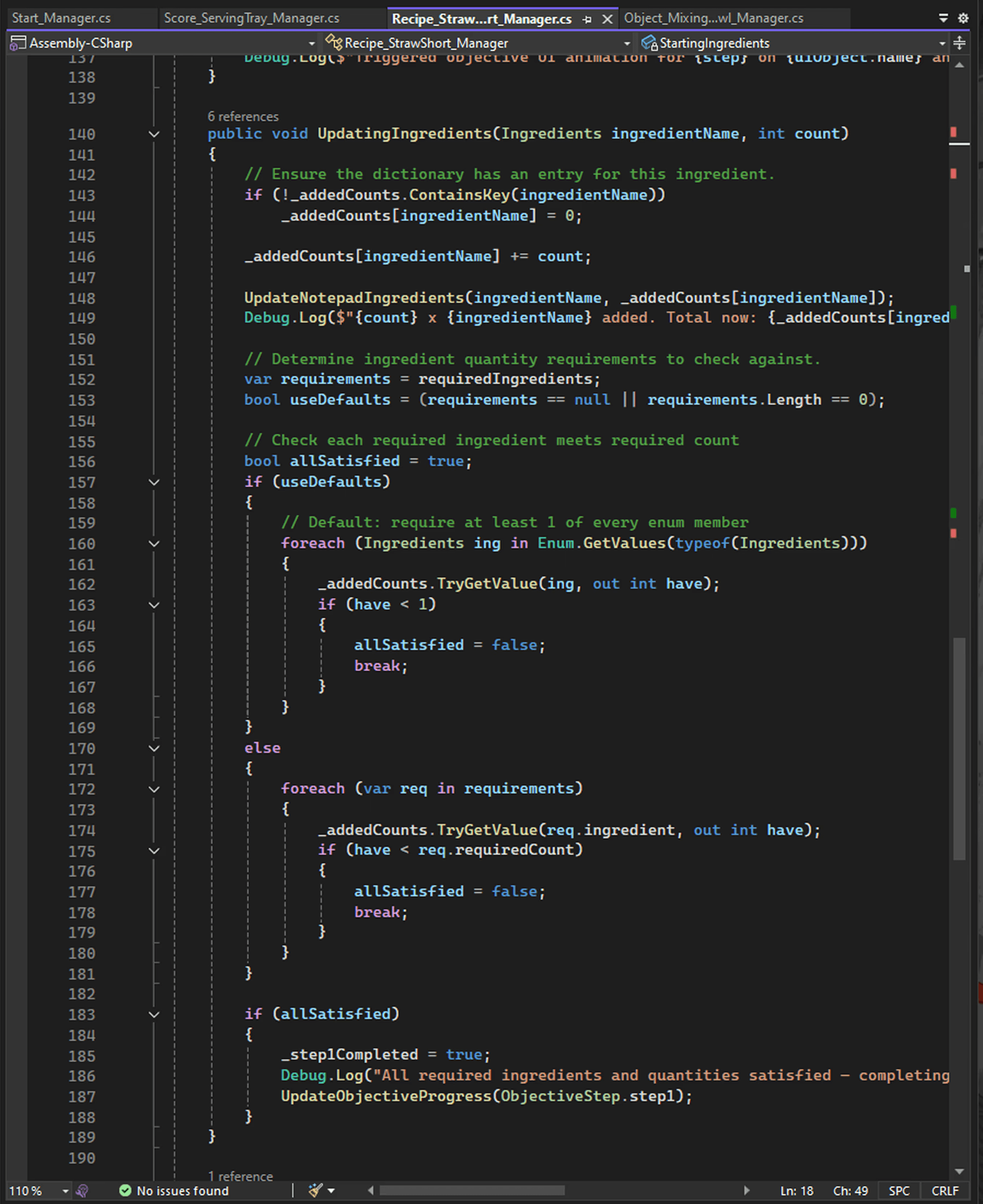
Technical implementation of UI: C# scripting VR player interactions with diegetic UI system & assets
Conceptualize overall art direction and gameplay mechanics to support team's design goals
Design Goals:
Guide users step-by-step with detailed instructions
Maintain realistic interactions and mechanics where possible
Create an environment that transforms baking into a relaxing and fun experience for players
Show Details
Overview
Learn how to bring delicious creations to life in a virtual world for new bakers and longtime hobbyists alike!
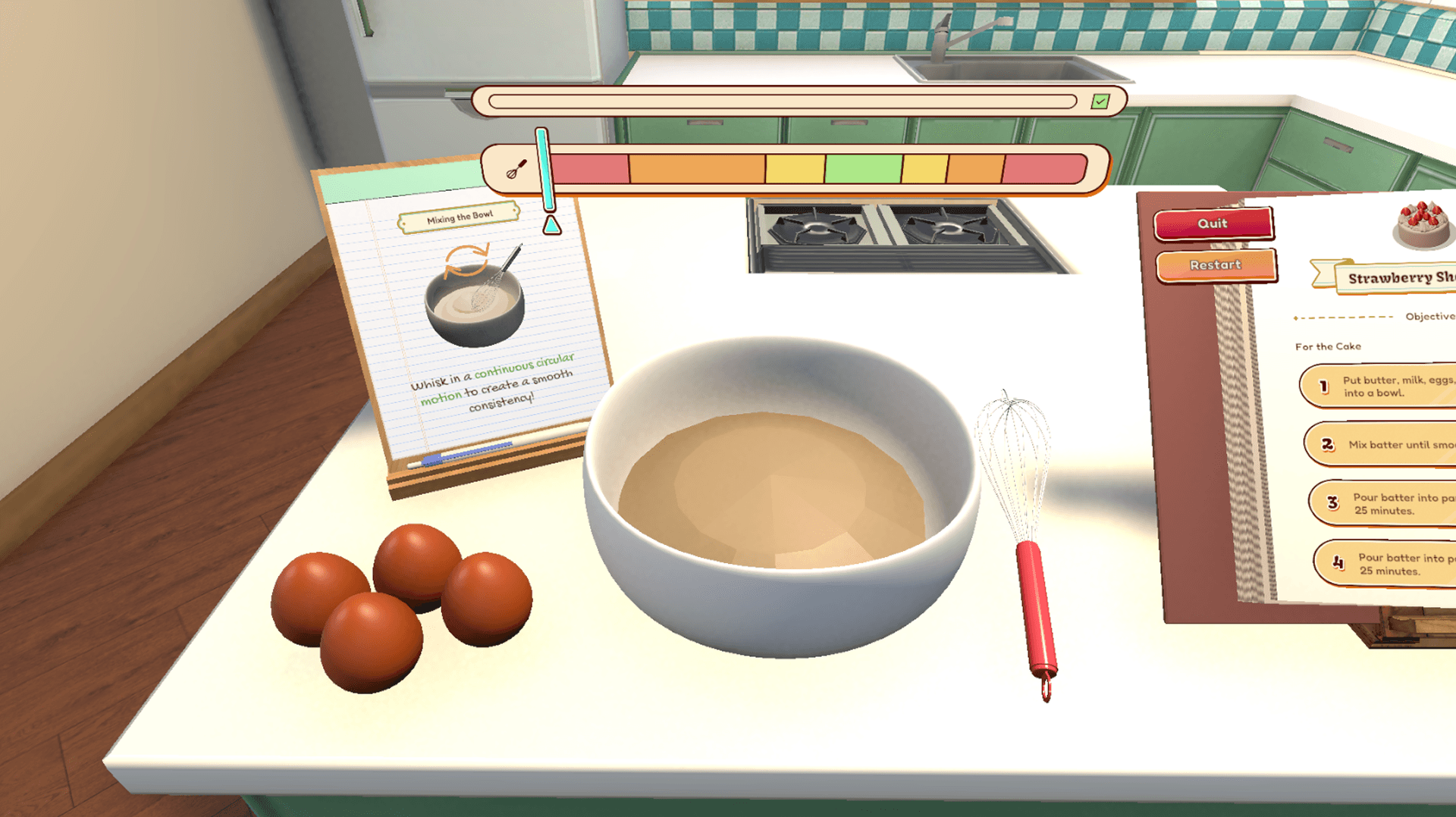
You are a new baker, and you’re learning the basics of baking. Knead to Know gives players the opportunity to develop their baking skills step-by-step. The player will be performing motions often used in real-world baking such as whisking, cracking an egg, turning a page, and more!
The aim of the project is to teach players how to bake in a virtual reality space. The main user group consists of people who do not know how to bake and would like to learn, or people who currently do not have the physical space or equipment to bake. Knead to Know provides an experience that is comfortable and easy to work in without requiring players to spend the financial or material resources often needed in real life.
Problem & Research
Baking requires ample space, expensive equipment, and procured ingredients that aren't always accessible to aspiring hobby bakers.
I joined the “Knead to Know” team because I could personally resonate with our shared vision for building a virtual space where players can comfortably learn how to bake without worrying about needing ample space or purchasing the required equipment and materials. As someone who is also a hobby baker, I am just like the players “Knead to Know” is built for. Ever since moving into my tiny, ill-equipped NYC apartment, I haven’t been able to bake nearly as often as I used to. I wanted to help create an experience that would allow people like me to still enjoy the joys of baking, even if their current lifestyle no longer supports it.
Our Target Players
Show Details
Brainstorm & Iterations
Solution: A virtual reality space that guides players through baking recipes step-by-step in a comfortable, yet realistic, environment.
Step 1: Brainstorm core functionalities
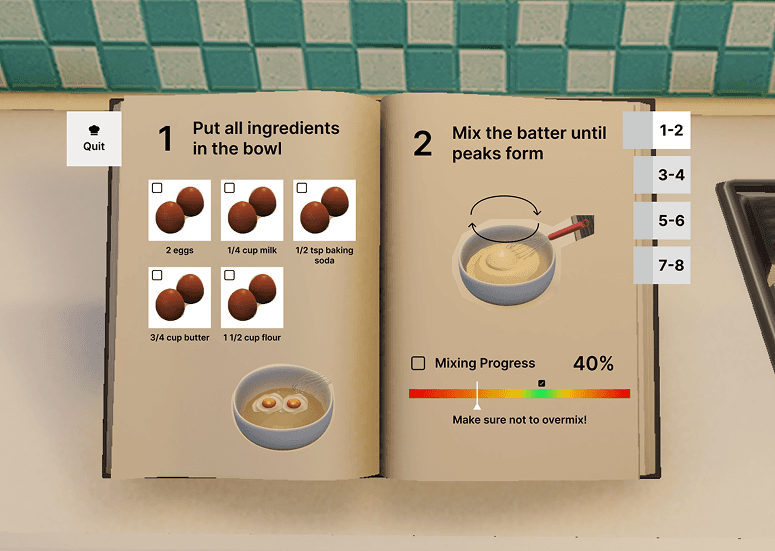
Step 2: Draft art direction & concept
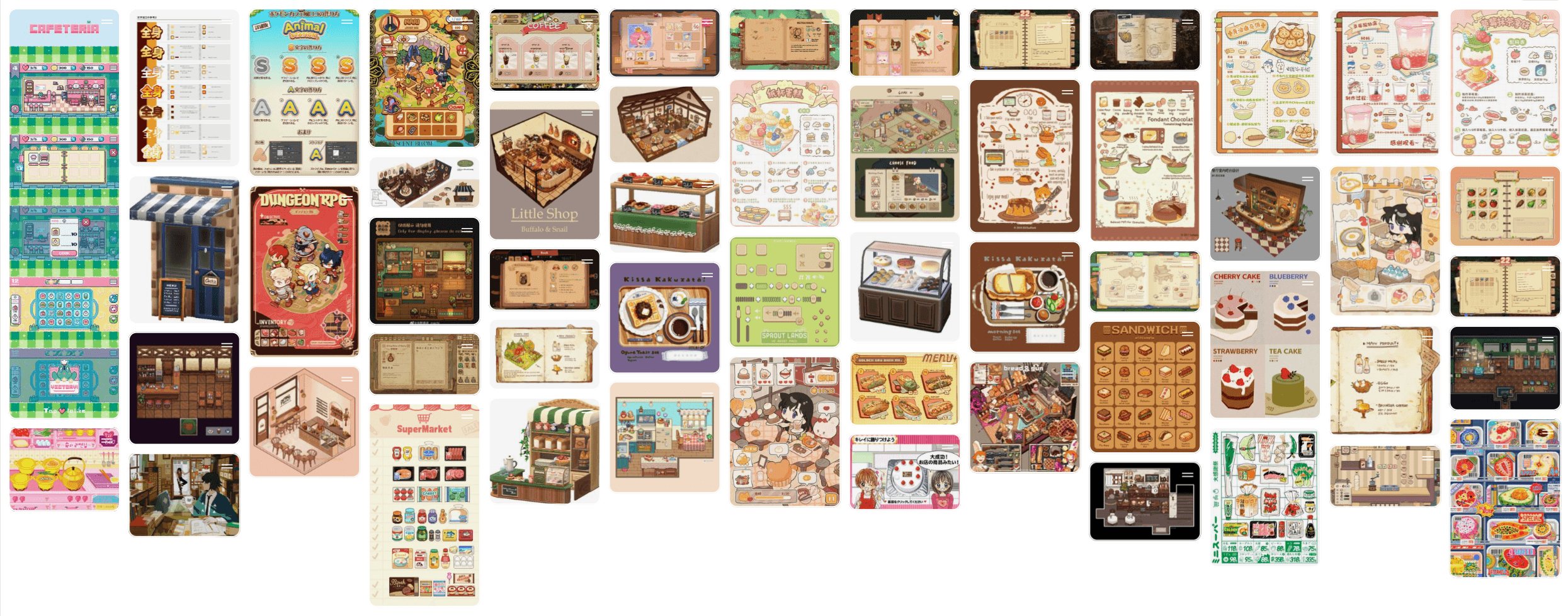
Step 3: Create initial mockups & prototype
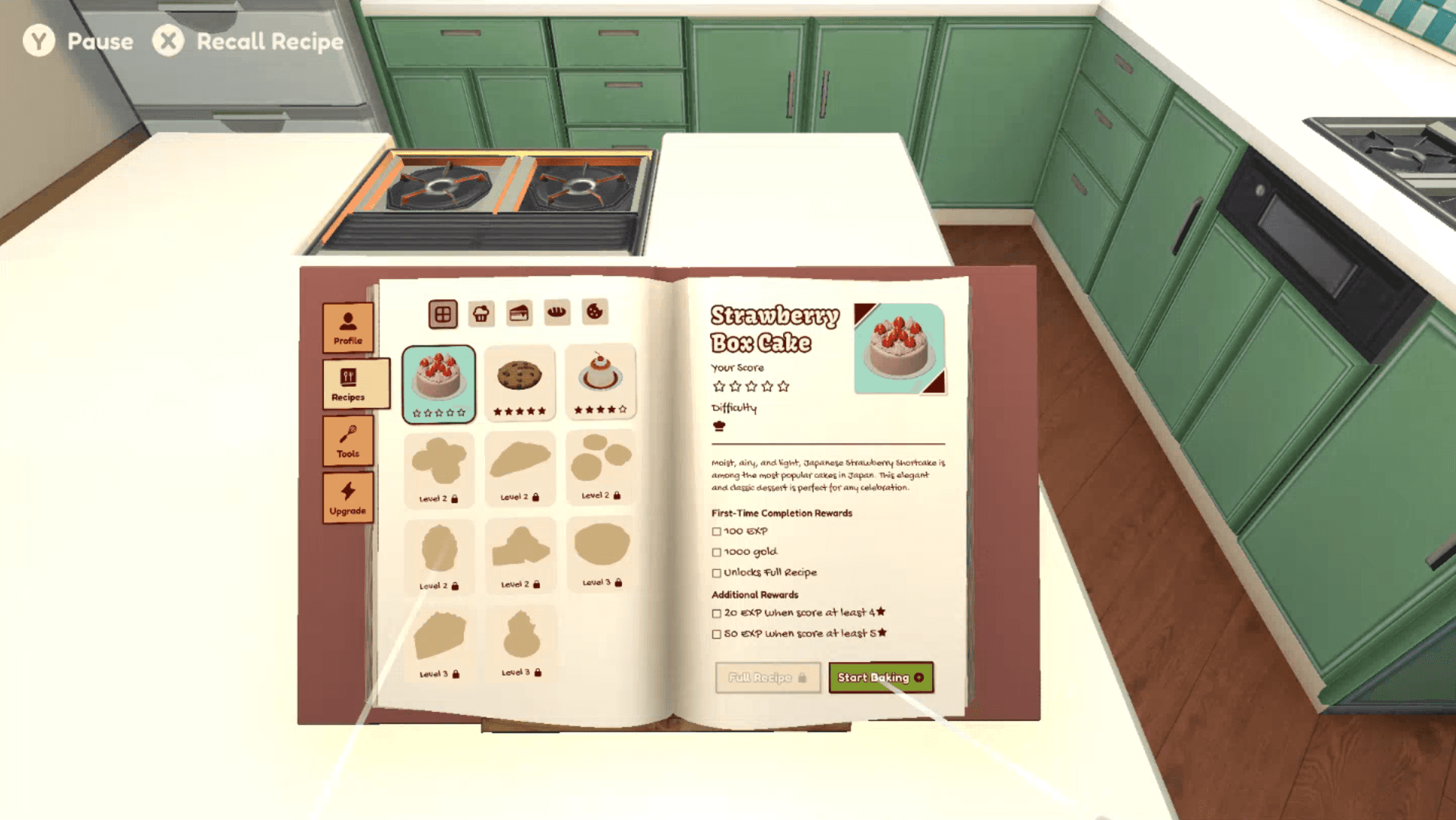
Step 4: Iterate based on player testing
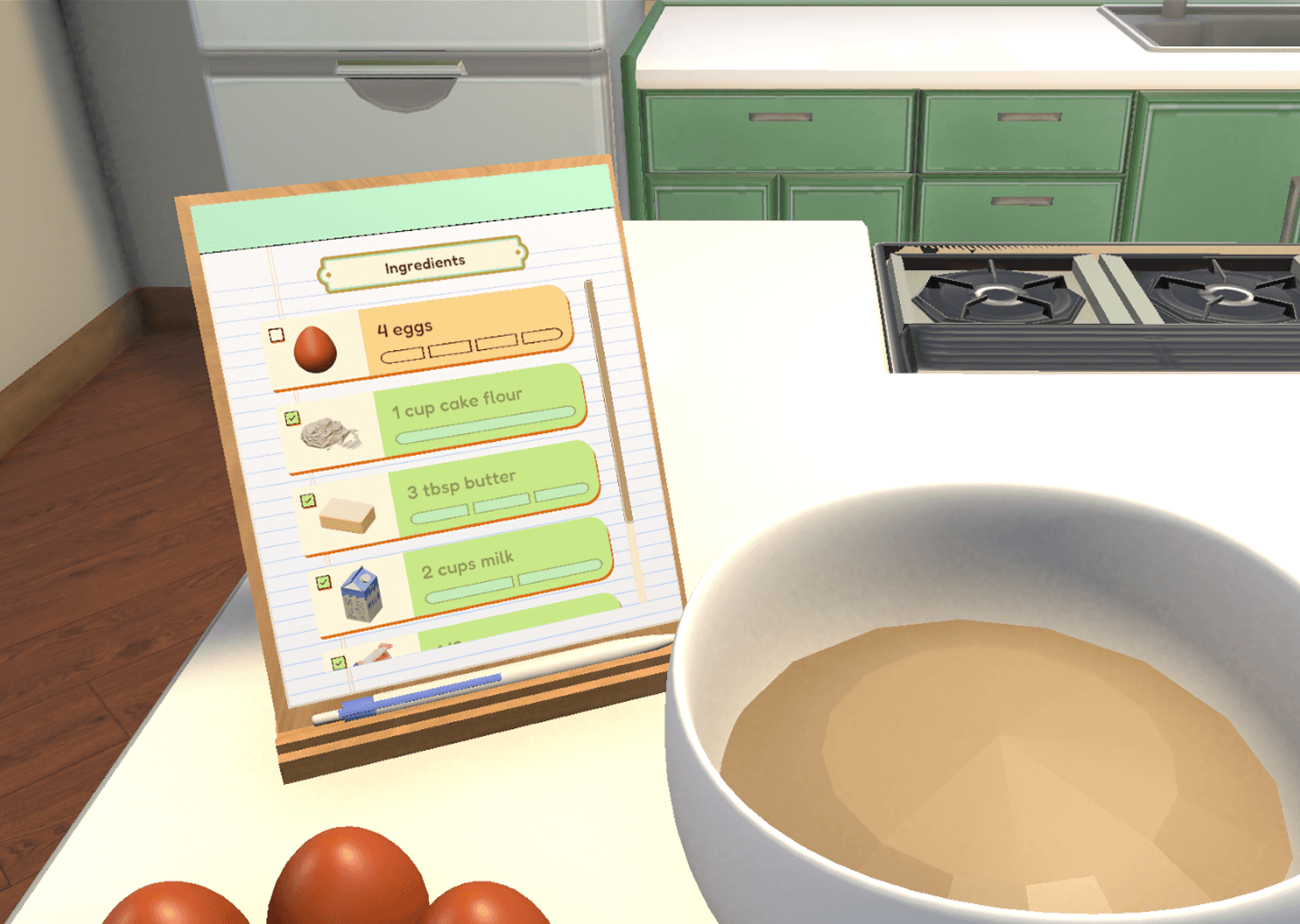
Core Design Features
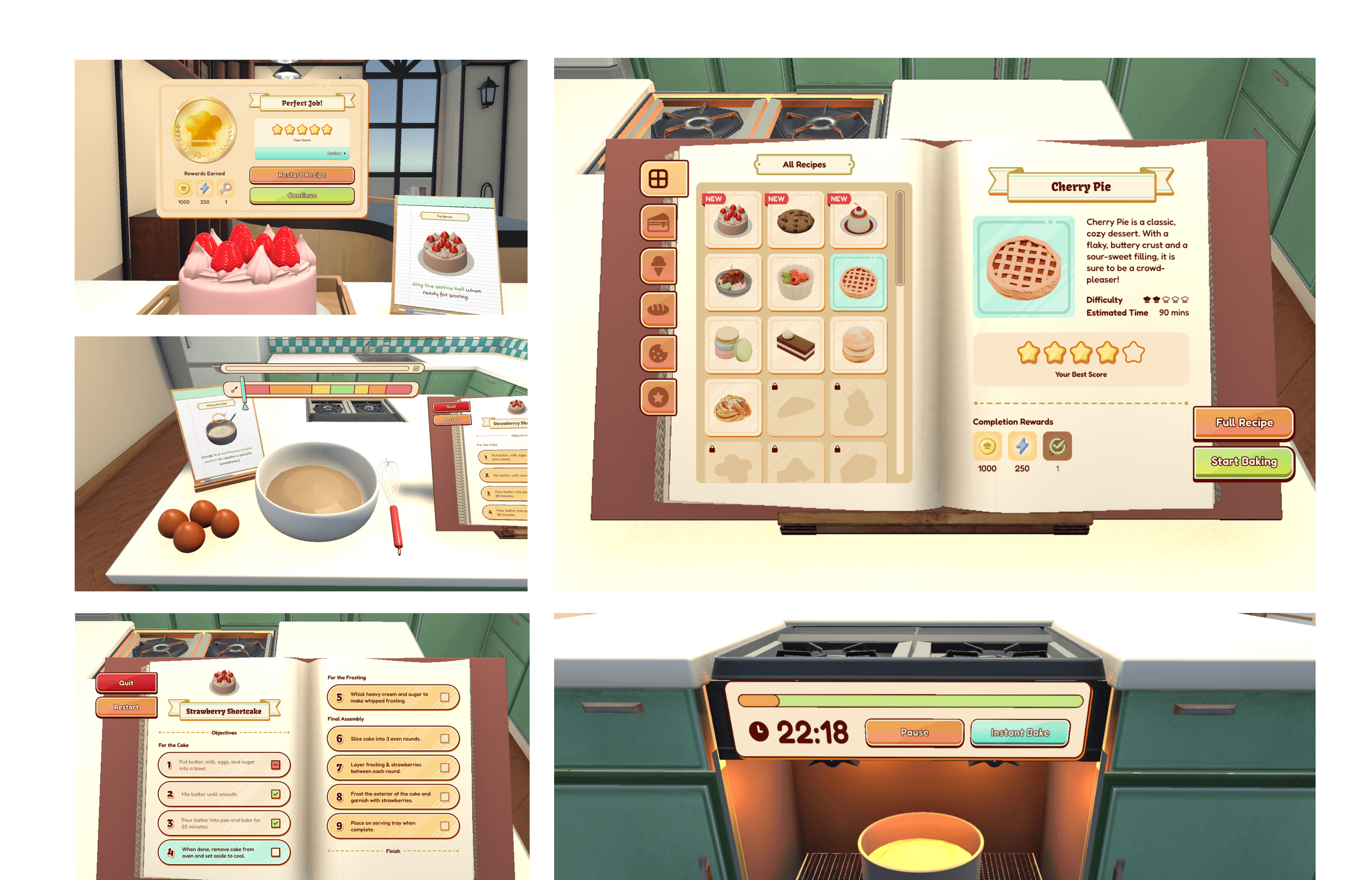
Elevate VR immersion with diegetic UI systems & real-world UX interactions
For a VR game, almost nothing is more important than maintaining player immersion. I designed primarily diegetic UIs that appear within the 3D scene itself in order to provide players information in a realistic manner as they are baking. I kept 2D overlay UIs to a minimum to maximize players' sense of realism, because there are no floating screens in real life (at least, yet)! Instead, Interactive UIs are purposefully embedded into the surface of objects like a recipe book and the oven control board, while simpler, event-specific UIs like progress bars or tooltips are temporarily displayed near the player's workstation for the objective duration.
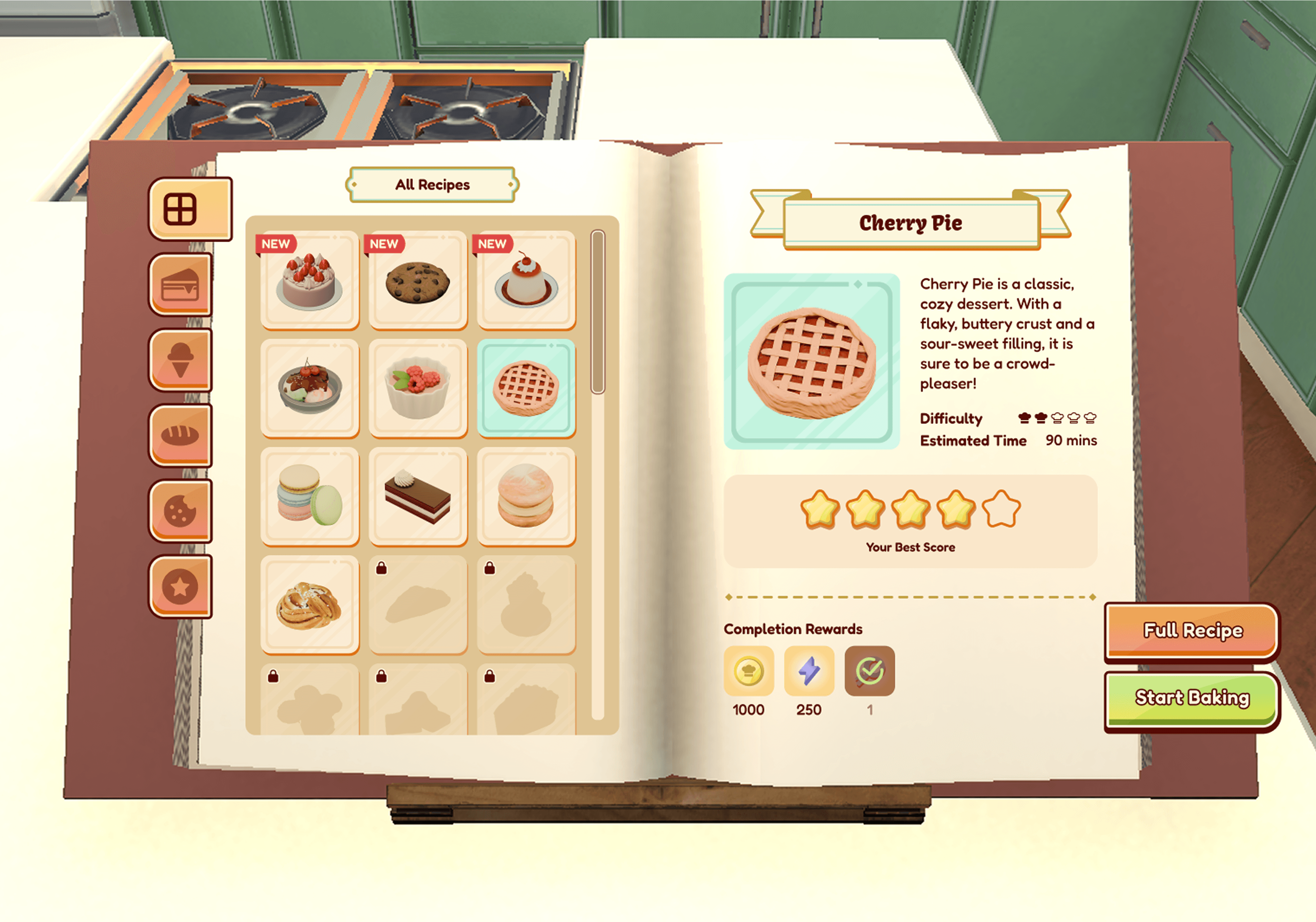
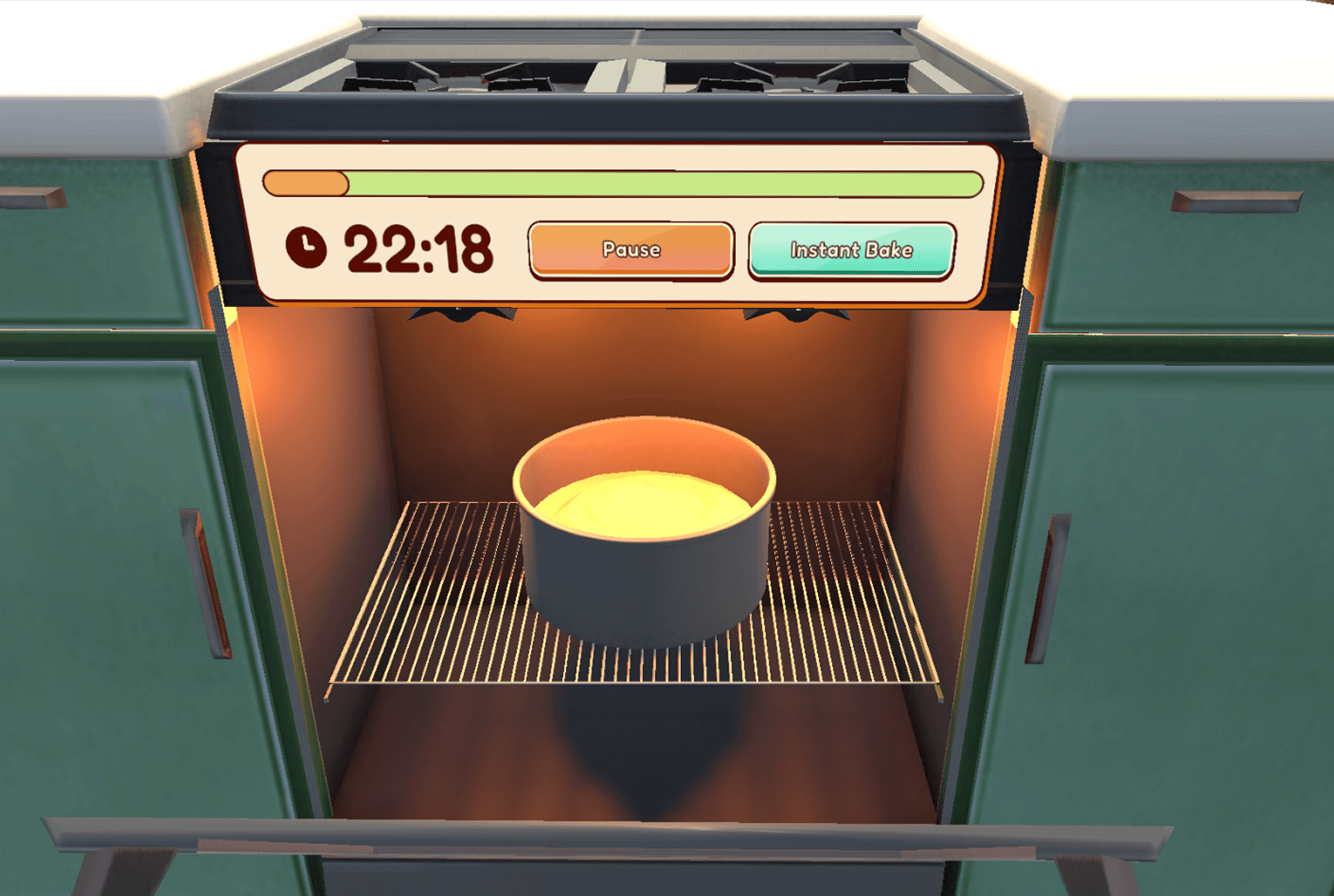
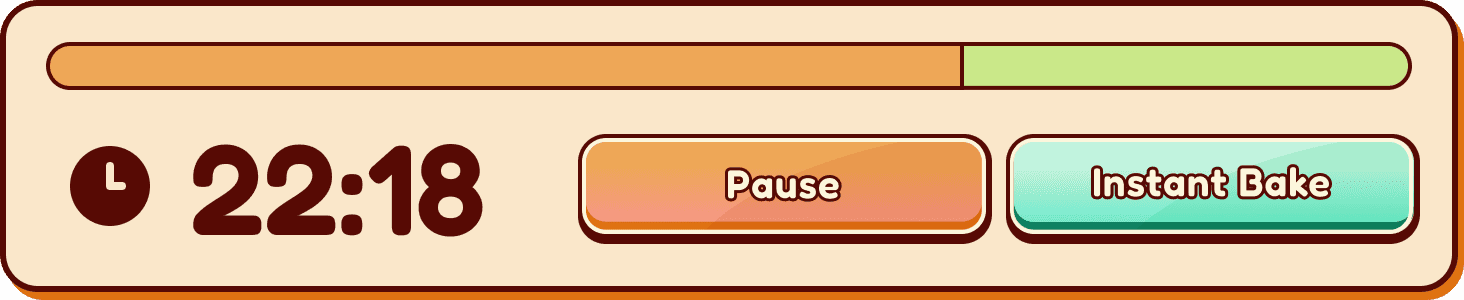

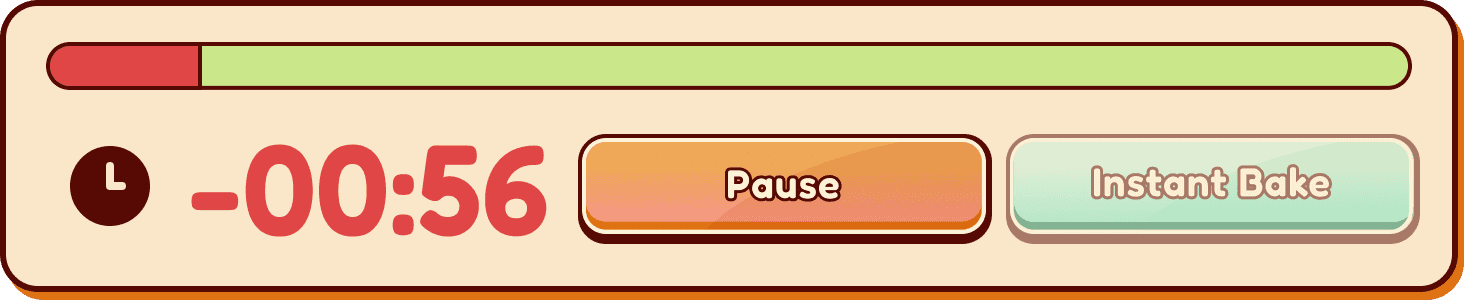
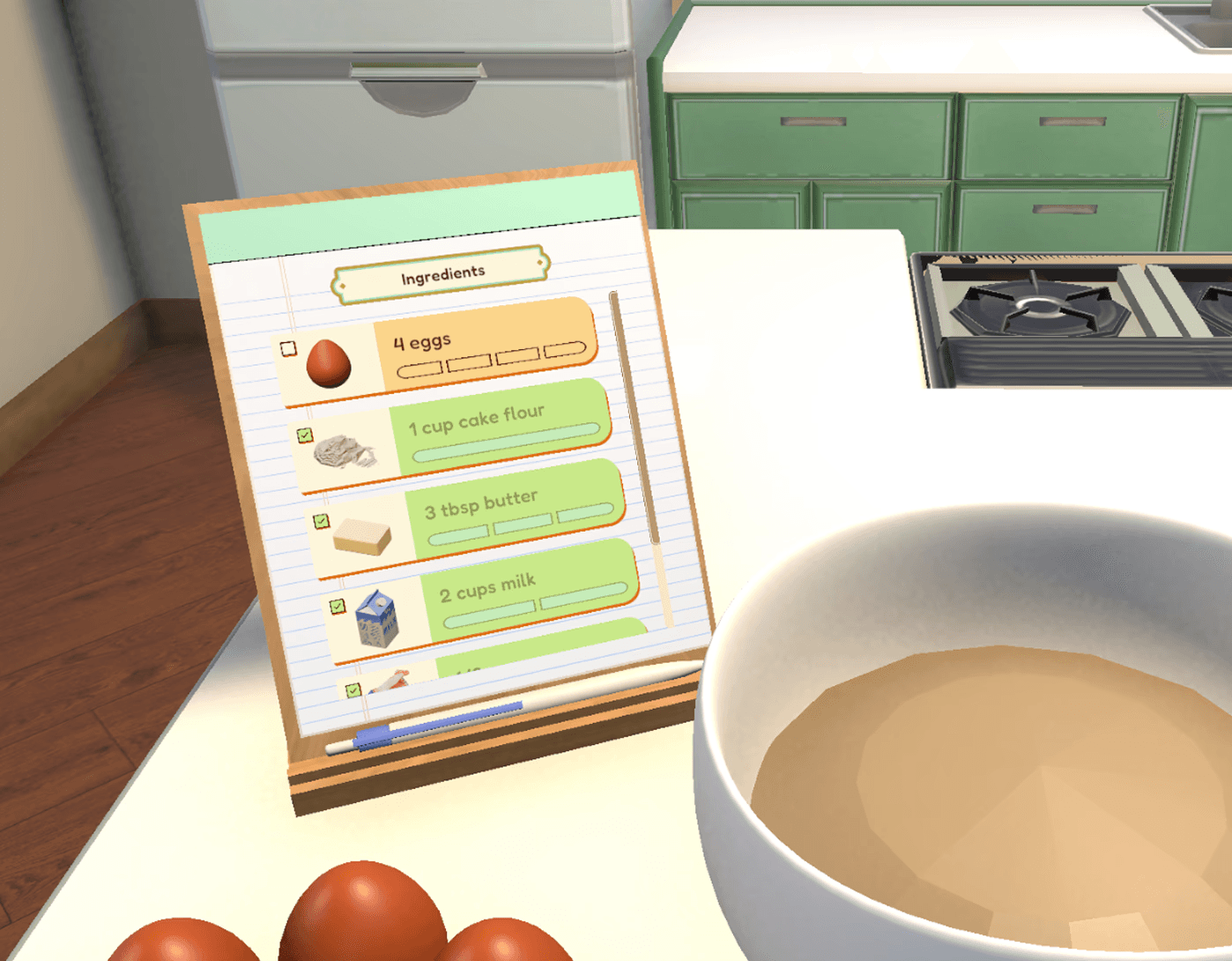



Stylish interfaces that express artistic direction without sacrificing player usability, from the start!
Each interface and individual UI asset was meticulously designed to not only support Knead to Know's style guide and artistic vision, but also made sure that our aesthetic pursuits wouldn't sacrifice on player usability. With my knowledge of best UX design methodologies, I was able to efficiently craft designs that were holistically considered, functional in low-fidelity, and supported digital-accessibility guidelines from the very early stages of our project. This means that essential UX fundamentals like intuitive interactions and easy navigation were already embedded into the UI design, even before committing resources to engine implementation and starting player testing!
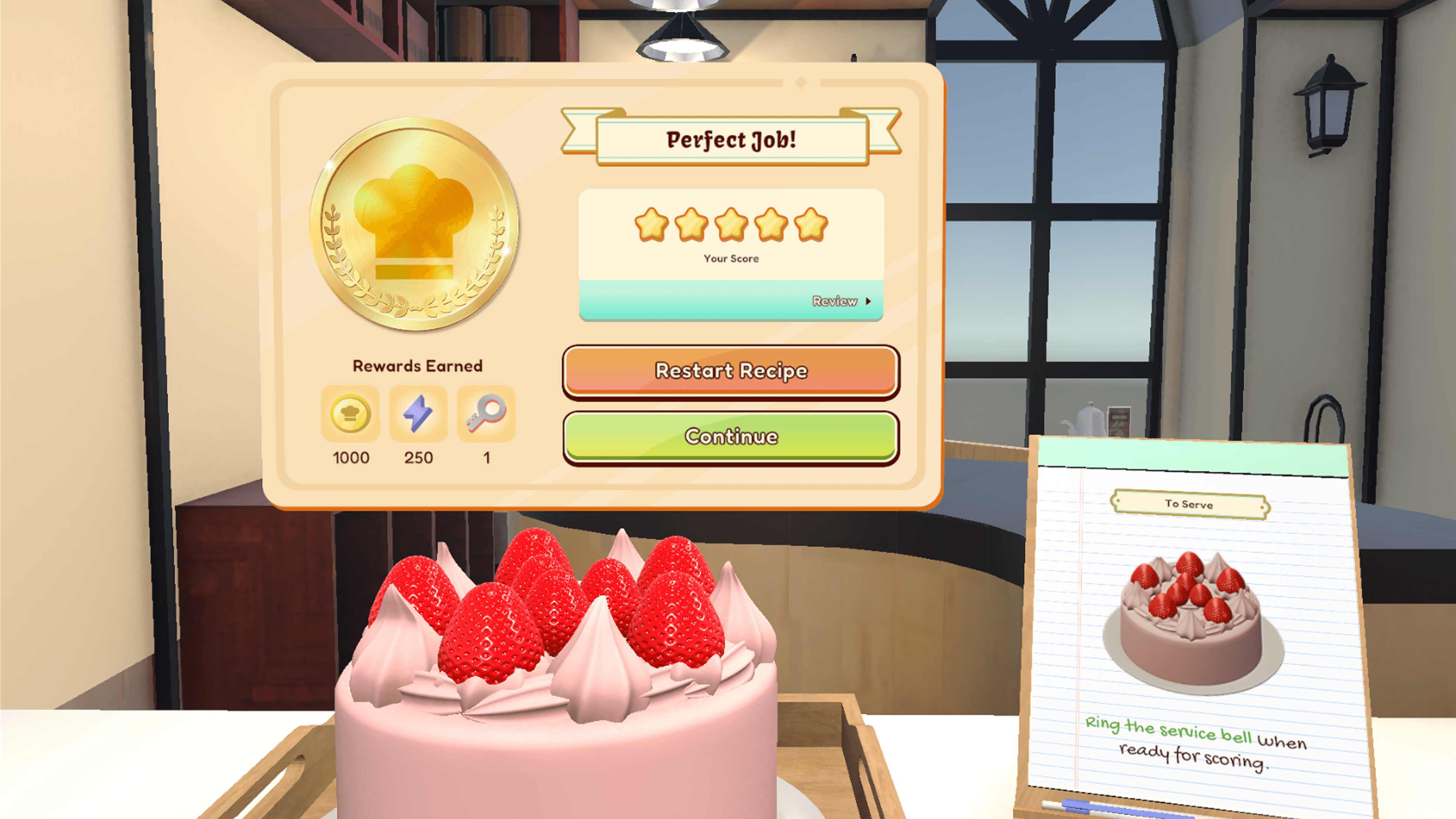
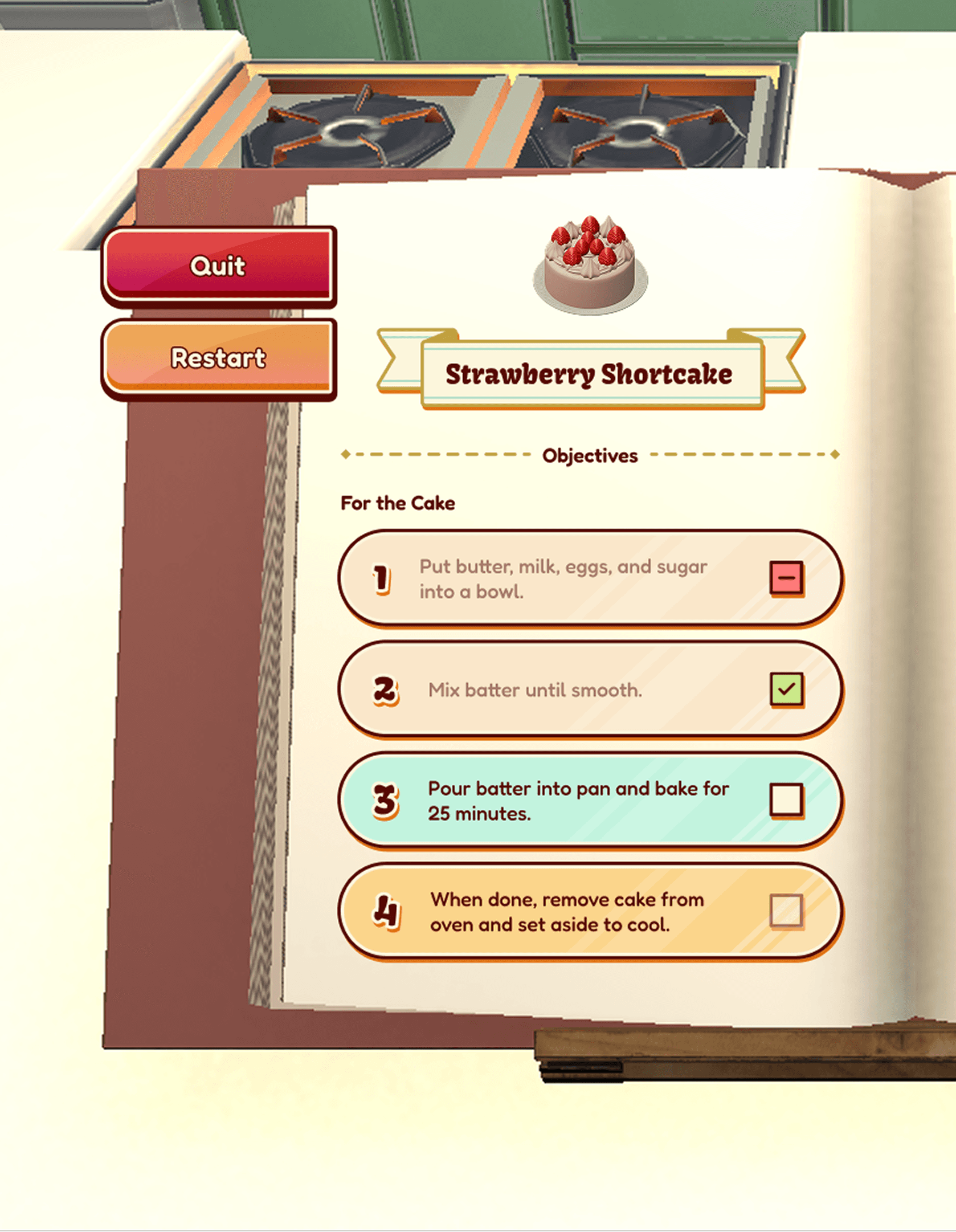
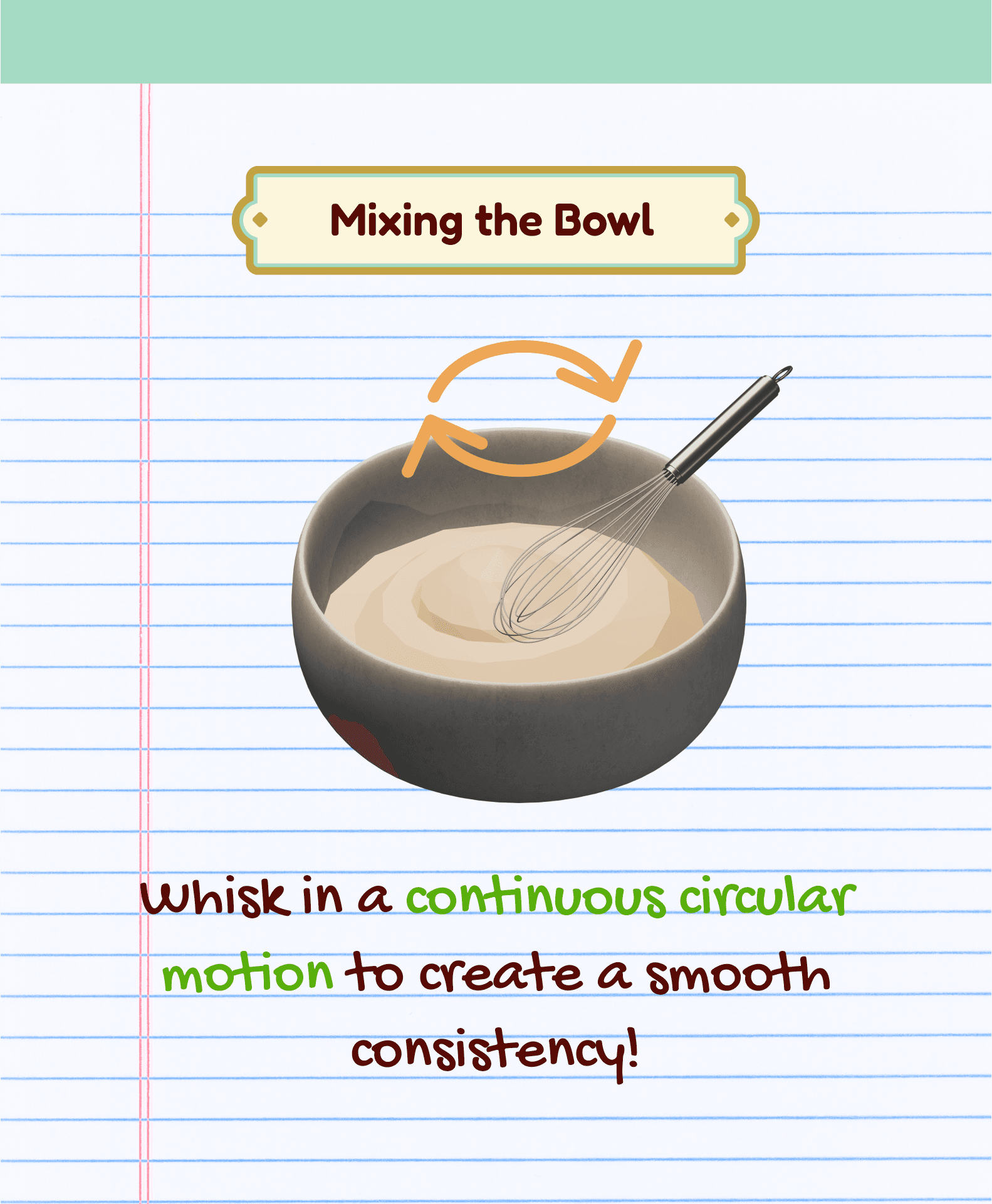
Custom UI assets optimized for efficient technical implementation in game engines
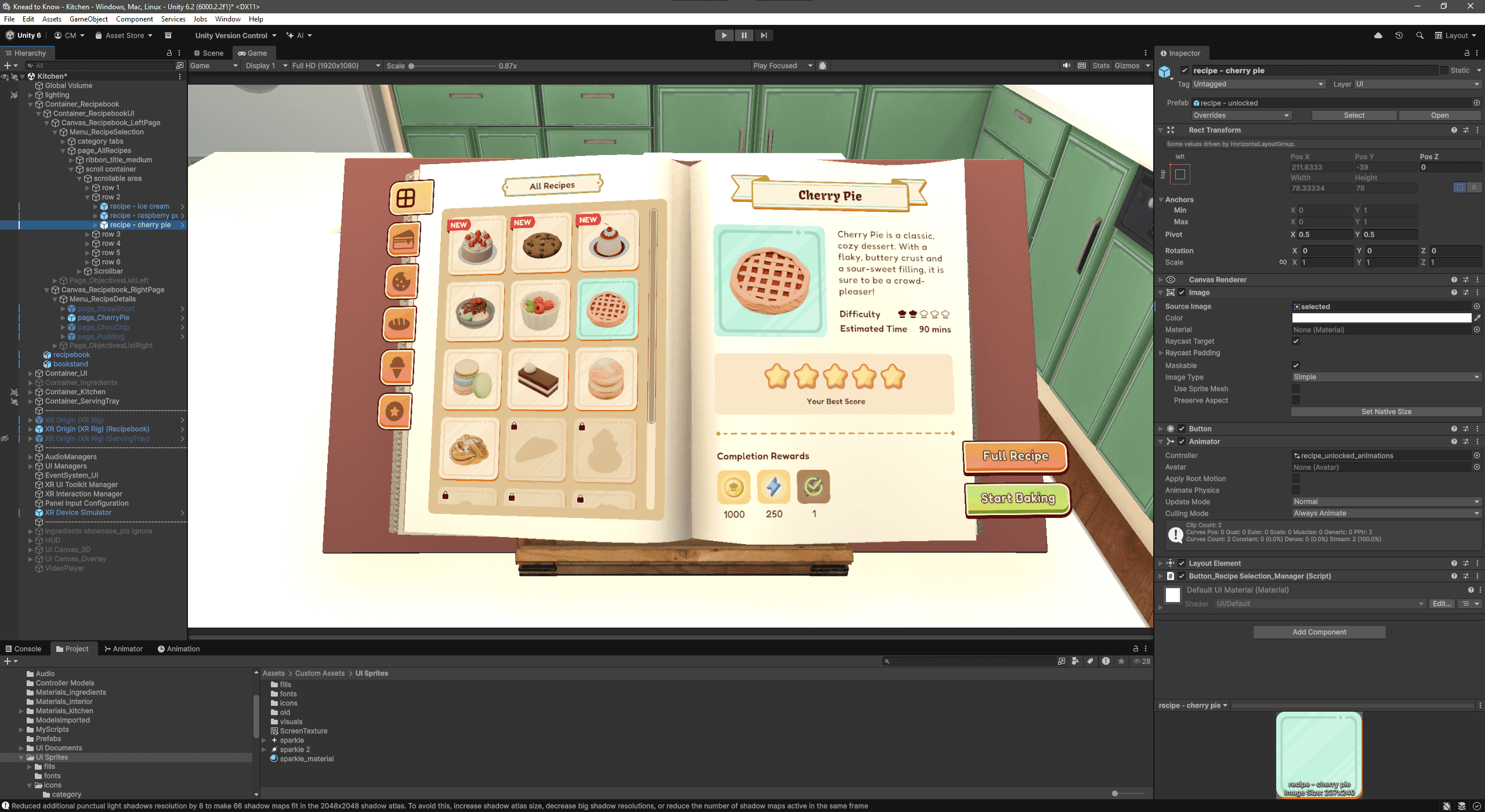
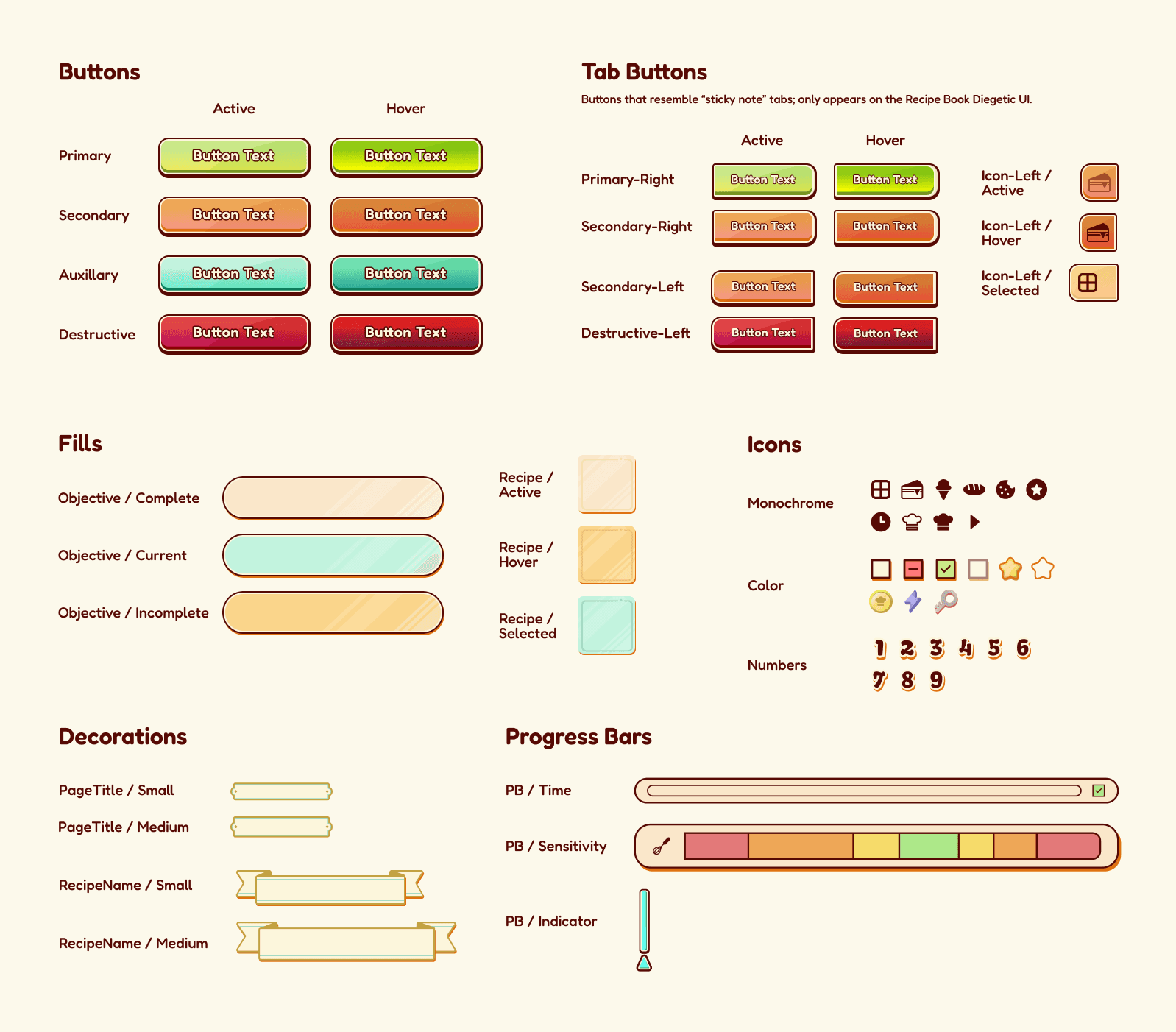
Both individual UI elements, like buttons and icons, as well as entire interface structures, like menu navigation and level-selection, were created from scratch in Figma & Photoshop. To ensure seamless technical implementation, I built a scalable design system and component library, structured with developer-friendly conventions like consistent naming, logical layer grouping, and defined interactive states. This asset library enabled myself to work with our engineer to rapidly translate the designed components into a fully functional prototype with code, significantly accelerating our iteration and testing cycles.
Takeaways
A New World of UX/UI Design for VR Development — Although I've previously worked in Unity many times, this was my first time creating specifically a XR interaction project in Unity. I quickly realized that designing and implementing UI that would be compatible for VR systems such as the Meta Quest and Apple Vision Pro requires many different technicalities from traditional game development. In addition to rewiring my Unity studio for VR development (i.e. downloading multiple XR packages), I also learned that I needed to approach UX/UI Design with a different mindset that specifically targets VR experiences. This meant thinking about how to keep the player experience as immersive and realistic as possible by: 1) opting for diegetic UIs rather than overwhelming the player with floating elements; and 2) creating designs that support direct manipulation rather than rely on UI menus.
Bridging the gap between Unity's UI Toolkit and XR Management Tools — As the one in charge of the UI art and technical implementation, I handled UI Toolkit and writing all related C# scripts to make the UI interactive, both in the 3D world and in the 2D screen overlay. One challenge I encountered while doing so however was that whenever I hit a roadblock (e.g. a bug where the UI wasn’t interacting as planned), it can be difficult finding an effective solution that is compatible with the latest version of Unity and is compatible with VR interaction systems. Most Unity tutorials and resources on the internet aren’t specifically targeting XR experiences, and ones that do are far and few between. By diligently scouring Unity documentation and using my own knowledge of Unity and C#, I was able to come up with solutions and workarounds to solve each of my UI technical issues one-by-one. Although this meant I needed to spend more time troubleshooting, I believe problem-solving each of these technical challenges has also strengthened my skills as a UI Technical Artist and has me feeling well-prepared for tackling similar tasks in my future projects.
Thank you to my lovely team members of Eebit Mondy Studios! I'm so happy this project came to life just as how we first envisioned it, and I'm proud of what our great minds put together can create. Special thank you to Dorsa Charkhian for your regular feedback and critique throughout the duration of this project. :)
All Illustrations & UI Assets © Chelsea Mai. All rights reserved.
Model Credits