Matcha Doing?
Designing a new wholesale purchasing feature for Matcha Doing?'s self-service kiosk chatbot
Project Info
My Role:
Ideate conversational flow for the chatbot and align with customer's expected interaction flow
Design Matcha Doing's brand guidelines, logo, and mascot chatbot avatar
Create UI assets for the chatbot application that uphold Matcha Doing's branding and chatbot personality
Design Goals:
Design a new 0-to-1 wholesale purchasing feature for Matcha Doing's self-ordering kiosk chatbot
Ensure the new feature integrates with existing multimodality (voice input and visual display)
Create a chatbot personality that customers will find helpful and happy to interact with
Show Details
Overview
Matcha Doing?: Easy, quick, and powerful site-building for digital exhibits
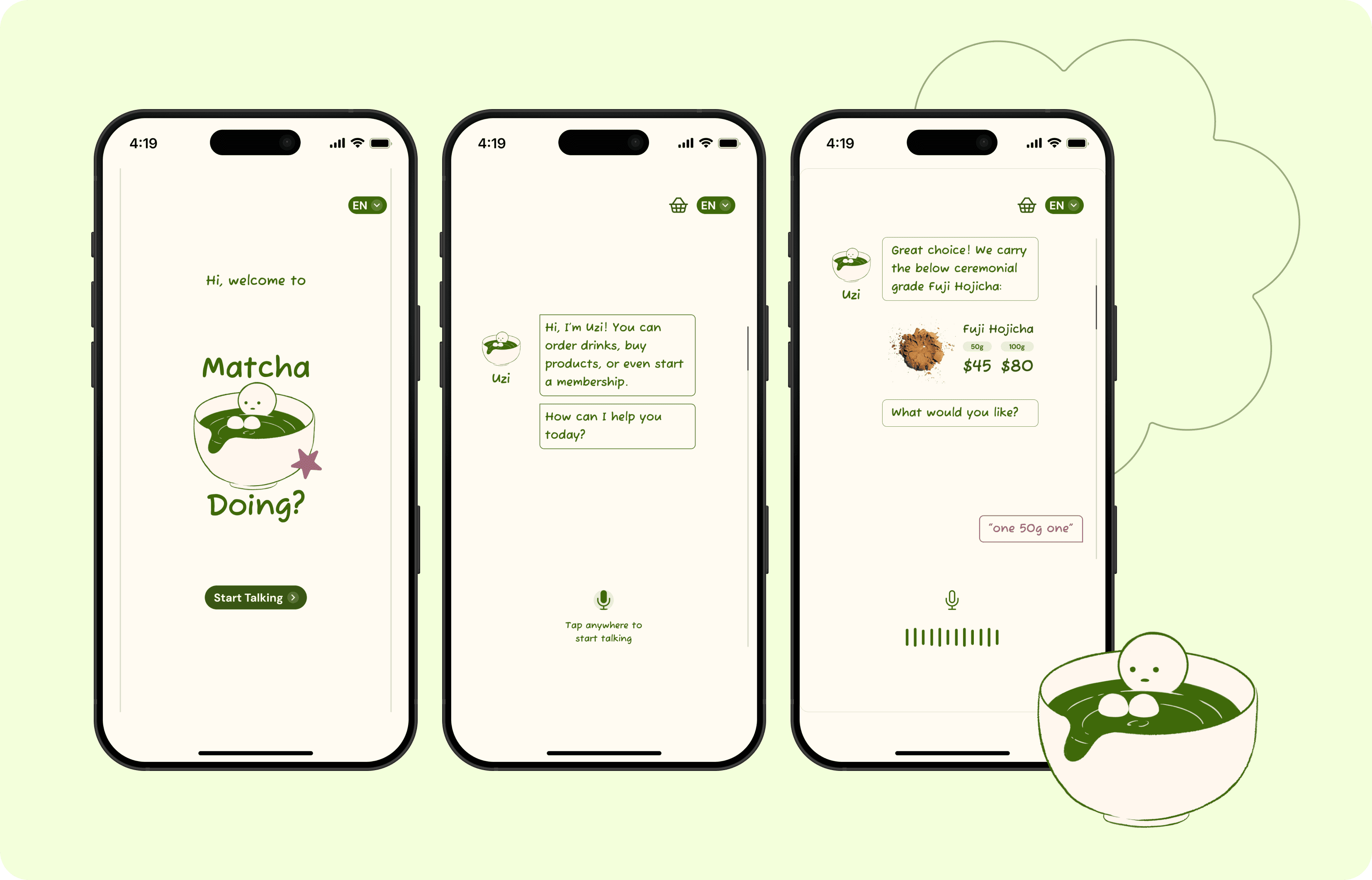
Matcha Doing? is a self-service kiosk at the entrance of a specialty matcha and Japanese tea shop. It features multimodal interactions (i.e., a combination of both voice user interface (VUI) and visual screen-based interfaces) that lets customers order drinks, browse the menu, pay, and manage their membership without no staff needed.
Our team designed a new wholesale purchasing feature for the Matcha Doing? self-service kiosk. The new wholesale feature extends Matcha Doing?'s current functionality to now include physical matcha product purchasing, fulfillment, and delivery—all done directly from the existing self-service kiosk.




Problem
High-end tea shops can be intimidating!
High-end tea shops can be intimidating. Jargon like "ceremonial grade" or "chasen" often creates a barrier when talking with customer service, specially when wanting to do multiple differing tasks with ease. This is where a self-service kiosk comes into play.
The Challenge: Create a single interface that remains intuitive, allowing for efficient ordering without staff interference.

Why? Most kiosks fail when they try to do multiple things because the interface becomes cluttered. Our solution used Multimodal Layering to keep the experience clean regardless of the user’s goal.

Our Target is to efficiently cater to a wide spectrum of users, regardless of their tech-savviness or physical ability, in order to ensure our design is as accessible as possible.
Bot Design Process
From 0-to-1: Our Bot Design Approach
Building for Multimodal Integration
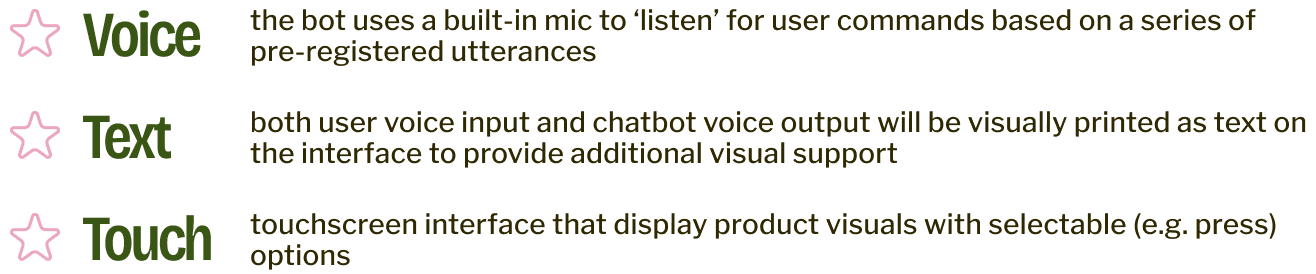
Matcha Doing?'s conversational bot employs 3 types of modalities for interaction including:
Is a conversational bot the best fit?
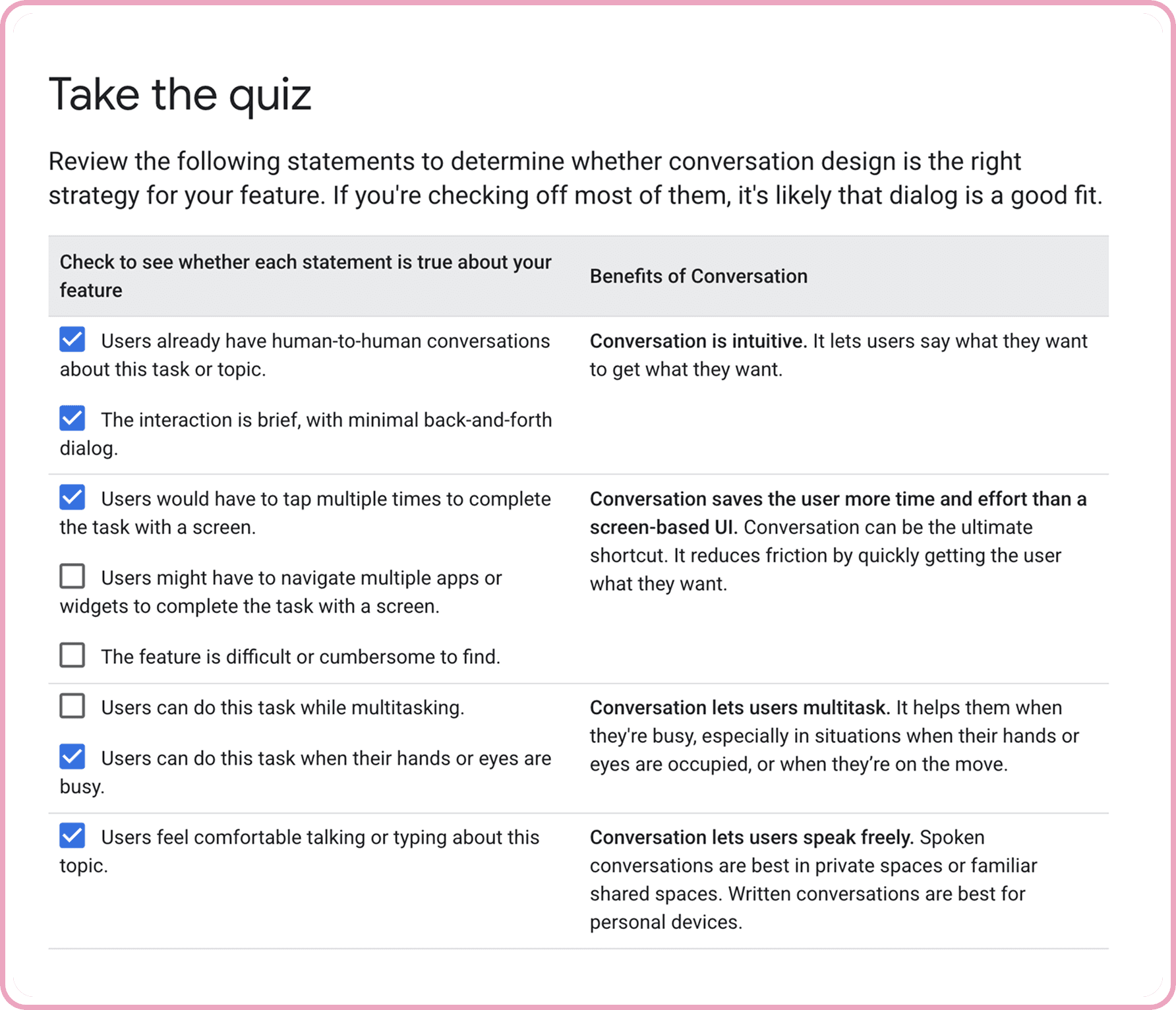
To determine whether a conversational bot is the 'best fit' for ordering wholesale products at a kiosk, our team took Google's "Is Conversation the Right Approach" quiz. Matcha Doing?'s new feature may not be a necessity at first, but it can become a more interactive and inclusive design as a conversational interface.
Considering the smaller range of products Matcha Doing? offers, it's intuitive and brief to use conversation as the task tool. Our conversational product adds in mic and voice input functionality, making the purchasing and ordering process less reliant on vision and physical touch. Adding in these new VUI modalities makes Matcha Doing? more accessible for a wider audience (including users who are temporarily or permanently disabled).
Conversation Flow
Making sure conversations flow as smoothly as intended!
COMPREHENSIVE FLOWCHART
Our team created a conversation flowchart which shows the primary happy pathways for buying wholesale products. We further account for multi-requests and error pathways to lead to back to the main flow seamlessly.
SAMPLE SCRIPTS AND REVISIONS
We also wrote 5 different sample scripts for different combinations of scenarios so we could map out the bot pathways and explore how to flesh out the personality design of our Bot. These include:
In-stock purchase, simple
Out of stock, nearby pickup
Delivery order
Combined drink + wholesale order
Membership perk + wholesale order


Interface Design Process
Bringing Matcha Doing? to Life, Visually
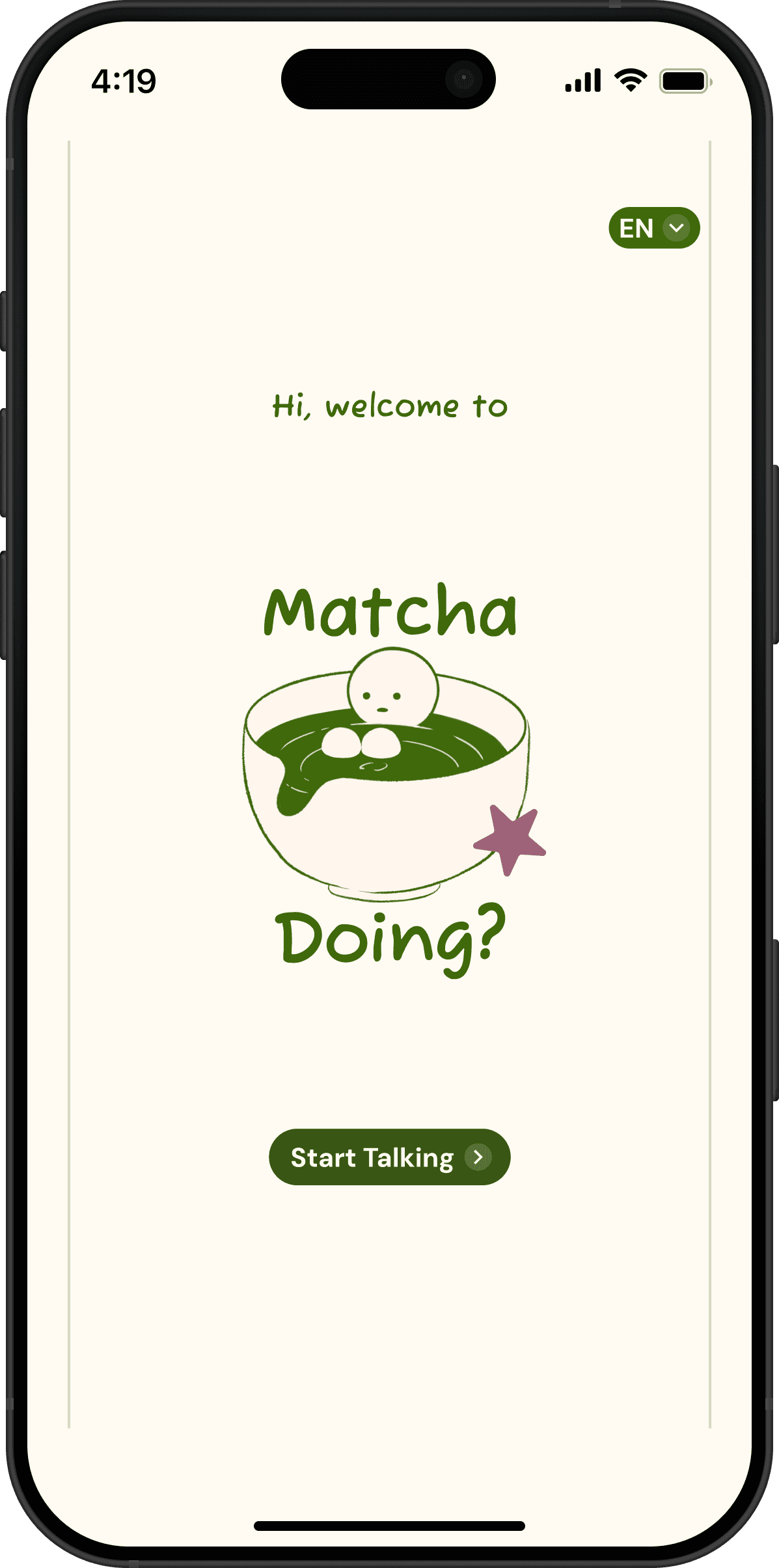
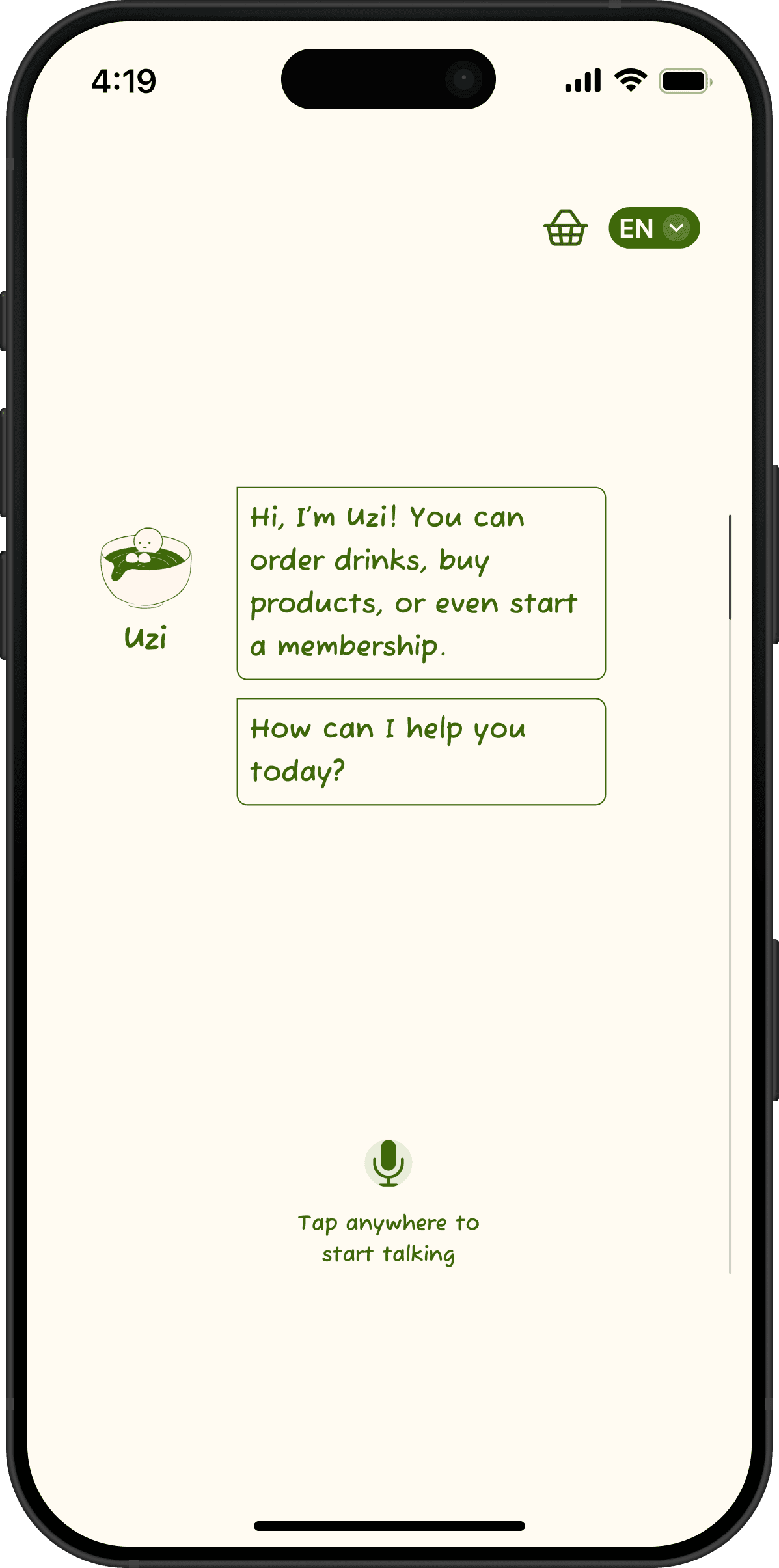
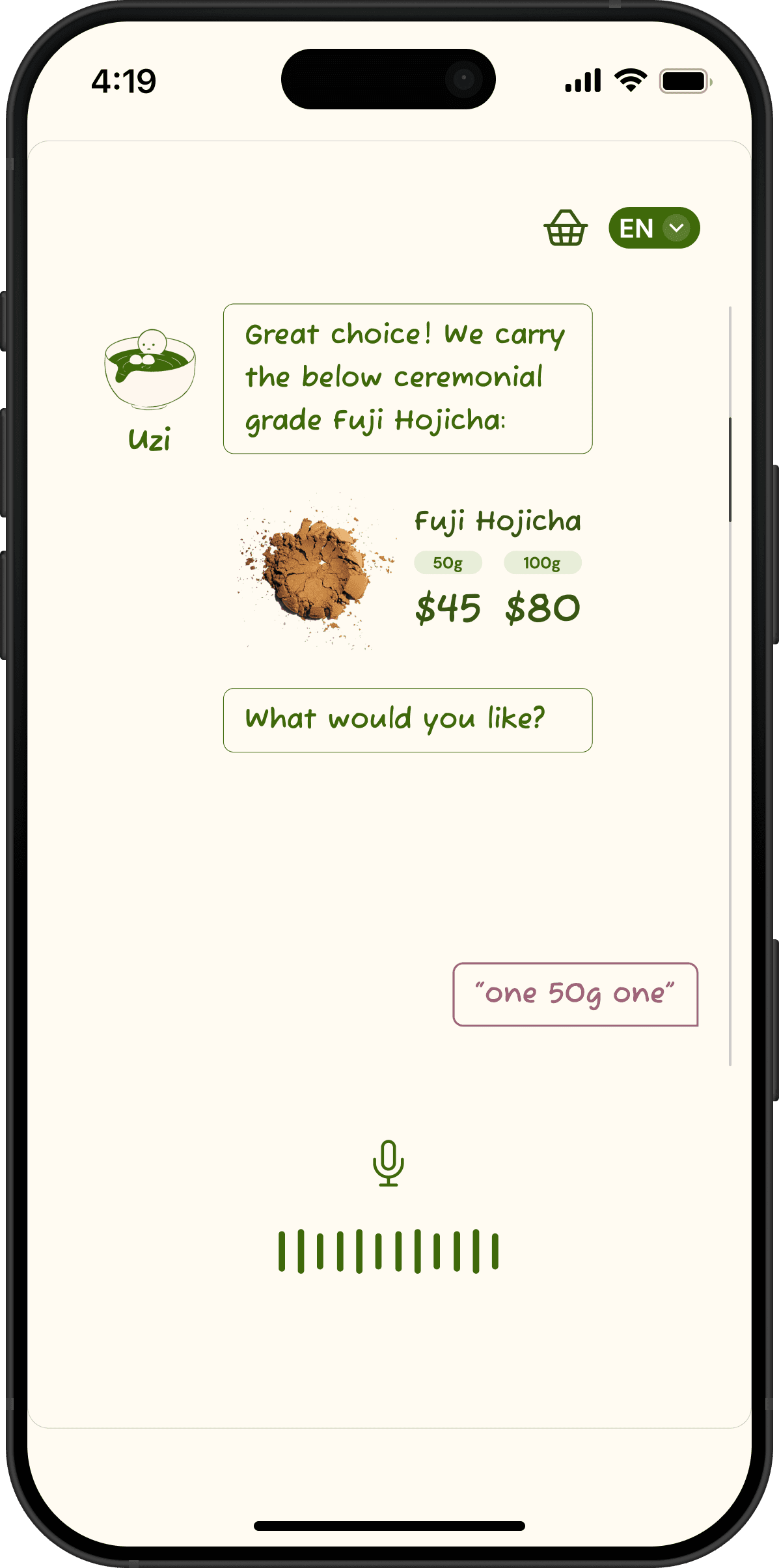
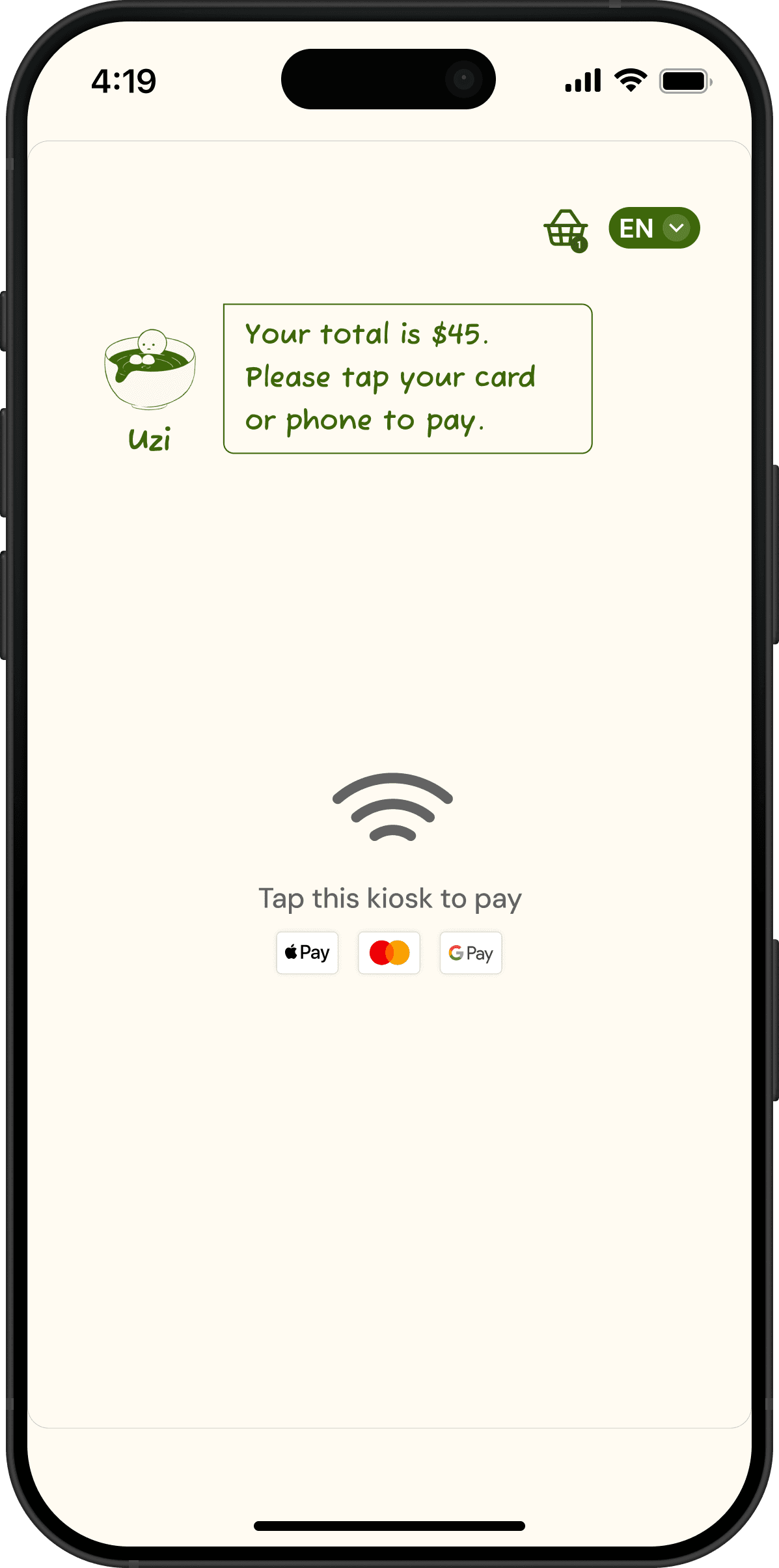
We chose to focus on buying wholesale products as part of our entire user flow to demonstrate the MVP of Matcha Doing? as it is the primary interaction of kiosk. While designing for multimodal integration, we decided to balance text and voice by limiting user inputs / responses to 2 options at a time. Here are some example interfaces shown below::
Final Prototype
Matcha Doing?:
Matcha Wholesale-Purchasing Conversational Bot
`Try out the interactive prototype! 😉
Takeaways & Reflections
My First Bot-Building Experience — This was my first time designing the user experience for a conversational chatbot. Although I have used some LLM-powered chatbots in the past, it's not an area I started this project with a lot of expertise in. However, throughout this project and Professor Opper's academic course, I was able to learn about all the different factors a UX Designer needs to consider when designing a chatbot. For example, with Matcha Doing?, I worked especially hard on analyzing and coming up with the common utterances a user would likely say to prompt the chatbot for various needs (e.g. "buy", "order", "purchase", and "get" were classified as important keywords likely to be associated with an utterance requesting to start a purchase order).
Not every experience is a good fit for conversation! — While working on Matcha Doing?, my team and I had to think a lot about whether our product and experience even needed a conversational experience / chatbot in the first place! Prior, I would have thought that any and every experience should have a conversational option where users could interact with a product by speaking and listening to it, as a means for expanding accessibility to users who have vision difficulties. However, although accessibility is a great reason to offer conversation, it's not the only factor that determines whether a product should allow for conversation. For example, factors such as whether the user's vision or touch abilities are likely to be preoccupied during the interaction, or if it's a type of interaction where typing it out is difficult compared to speaking it out, are also great reasons for why a product should offer conversational options. And as described earlier, placing matcha orders at Matcha Doing? is an experience that fits perfectly as well!
Thank you to my team members: Ha, Maanya, and Shriya for collaborating with me on this project; and to Professor Michael Opper for guiding us with your feedback to make Matcha Doing? the best matcha-ordering chatbot it can be! :)